
Guide · Java + Bedrock
Java + Bedrock server with Geyser
Four short steps, from a new account to your first votes. Listing is free.
What you need
- A Java server with Geyser and Floodgate, online.
- For vote rewards: the NuVotifier plugin and a plugin that gives rewards (for example VotingPlugin).
Step 1: Create your account
It's free. You manage your servers from it.
- Open Sign up. Pick a Username, type your Email and a Password of at least 12 characters.
- Press Create account, then click the link we email you (it works for 24 hours).
Step 2: Add your server
Keep your server online while you do this. We check both ports.
- Open Add server in the menu at the top.
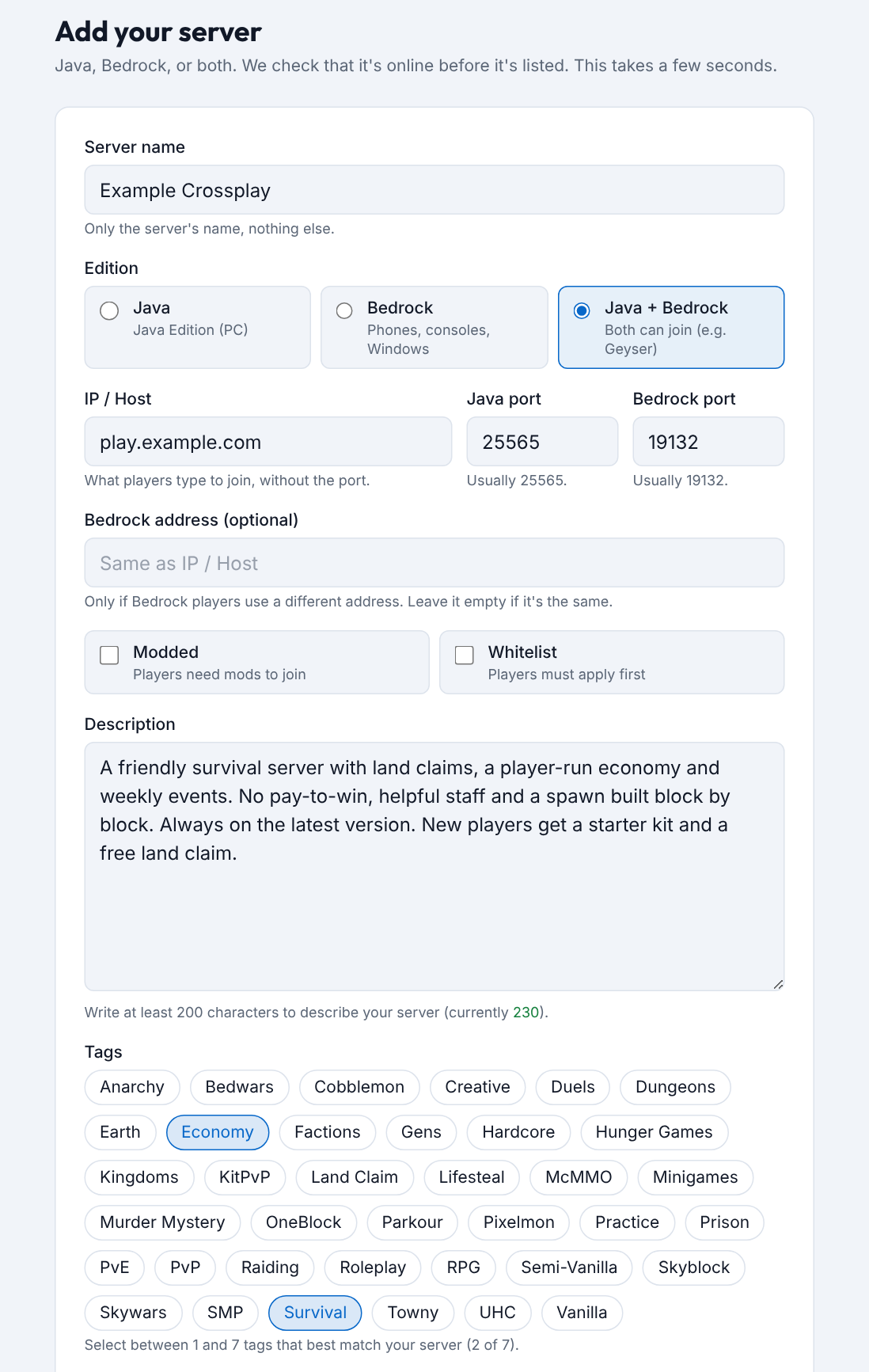
- Under Edition, pick Java + Bedrock.
- Type the Server name, the IP / Host players use, and both ports: Java port (usually 25565) and Bedrock port (Geyser's, usually 19132).
- Write a Description of at least 200 characters and pick 1 to 7 Tags.
- Press Add server. We check that your server is online, then it's on the list.
Bedrock players use another address? Type it in Bedrock address. Same address? Leave it empty.
Step 3: Set up vote rewards
OptionalSame as a Java server. Bedrock players get rewards too.
- Install NuVotifier and your reward plugin. Open its port (default 8192).
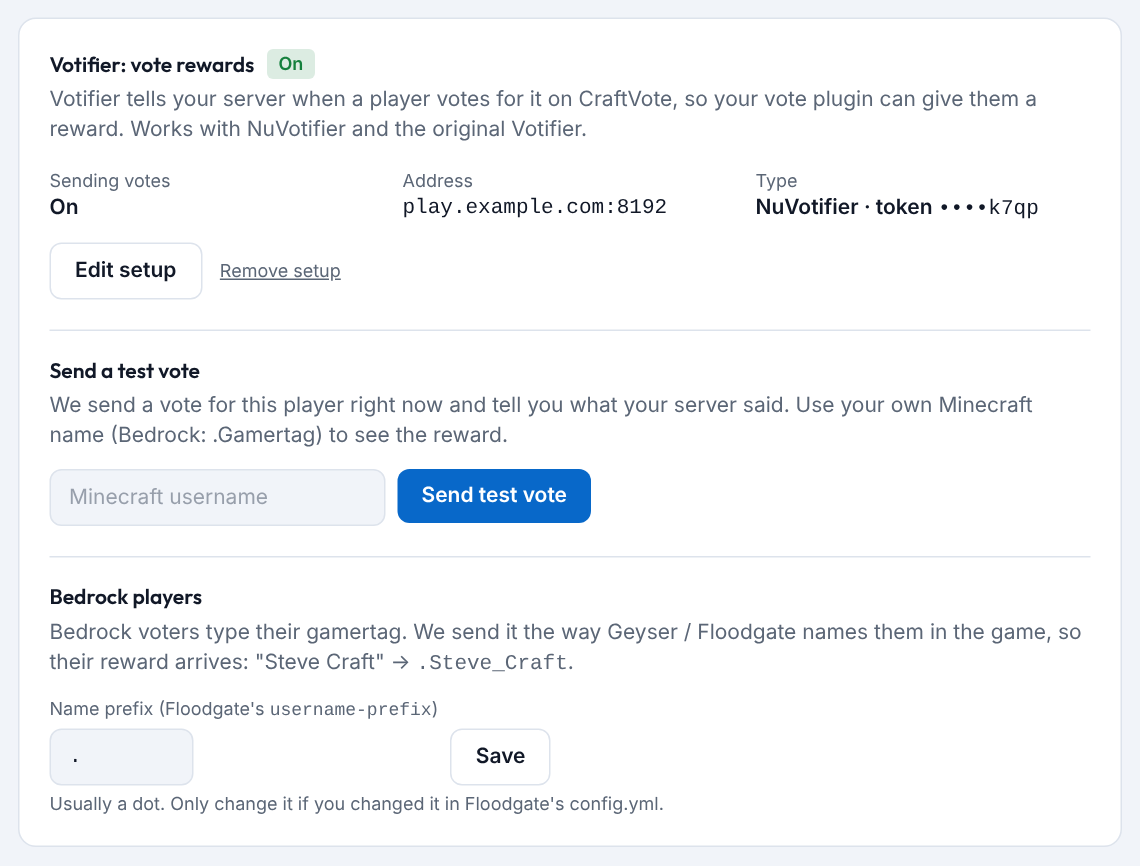
- On your server's page, find Votifier: vote rewards, pick NuVotifier (token), paste the Token and press Send test vote.
- Bedrock players need nothing more: we send their name the way Floodgate shows it (like .Steve_Craft).
Changed Floodgate's username-prefix? Type it under Bedrock players on the same card.
Step 4: Share your vote link
The list is ranked by votes this month.
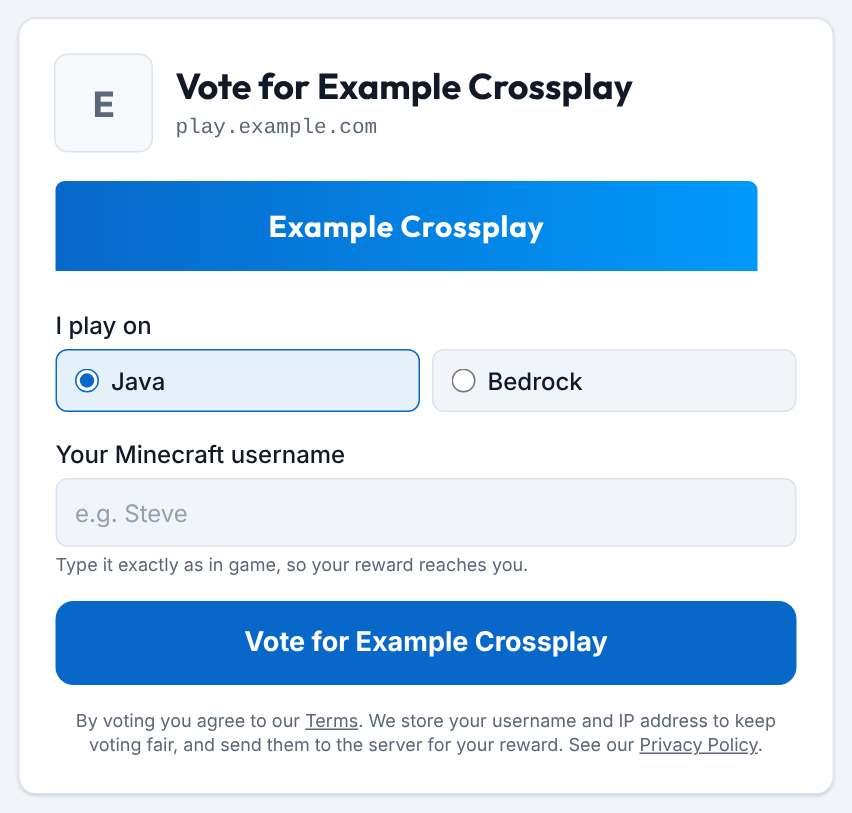
- Your vote link is craftvote.com/server/your-server-name/vote. The Vote for … button on your server's page opens it.
- Put it on your website, in your Discord and in your vote plugin.
- Players pick Java or Bedrock, type their name and vote once a day.
Good to know
- Live status. We check your server about every 3 minutes. Shown as offline? See My server is shown as offline or hidden.
- Banner. Optional, 468×60 pixels, PNG, GIF or JPEG, at most 1 MB. Add it on your server's page.
- Stuck? Write to us through Contact.
Ready when your server is online
Another kind of server? See all guides.