
Listing guide
How to list your server on CraftVote
From a new account to your first votes, in four steps. Listing is free.
What you need
- A Minecraft Java Edition server that is online right now.
- An email address for your account.
- For vote rewards (optional): the NuVotifier plugin and a plugin that gives rewards for votes.
Step 1: Create your account
An account is free. You manage your servers from it.
- Open Sign up.
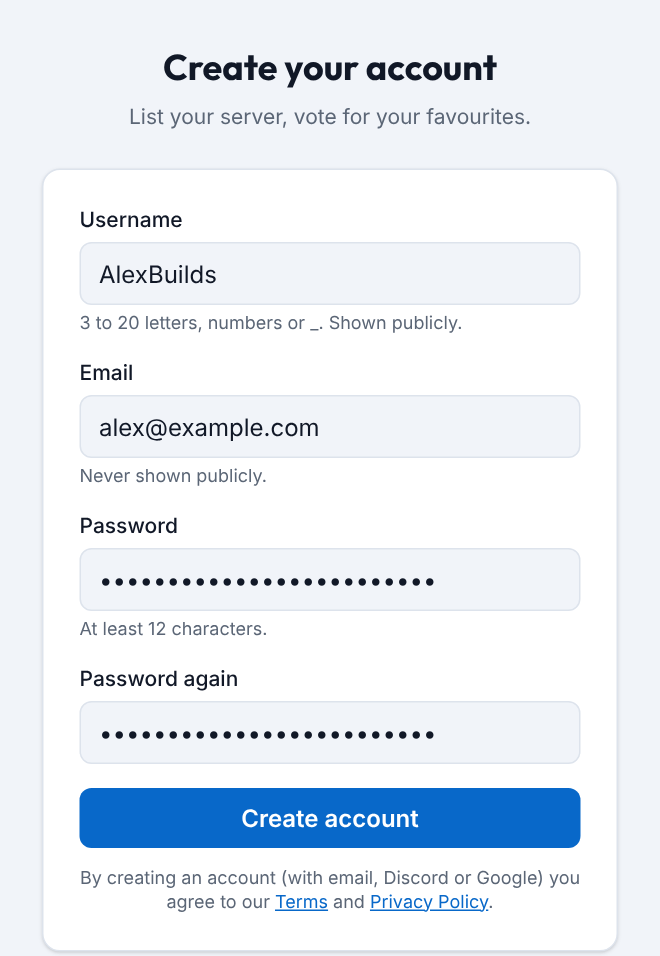
- Pick a Username (it is shown publicly), type your Email and a Password of at least 12 characters.
- Press Create account. We send you a link: click it to confirm your email. The link works for 24 hours.
No email after a minute? Check your spam folder, or press Send the email again on the same page.
Step 2: Add your server
Your server must be online while you do this: we check it before it is listed.
- Open Add server in the menu at the top.
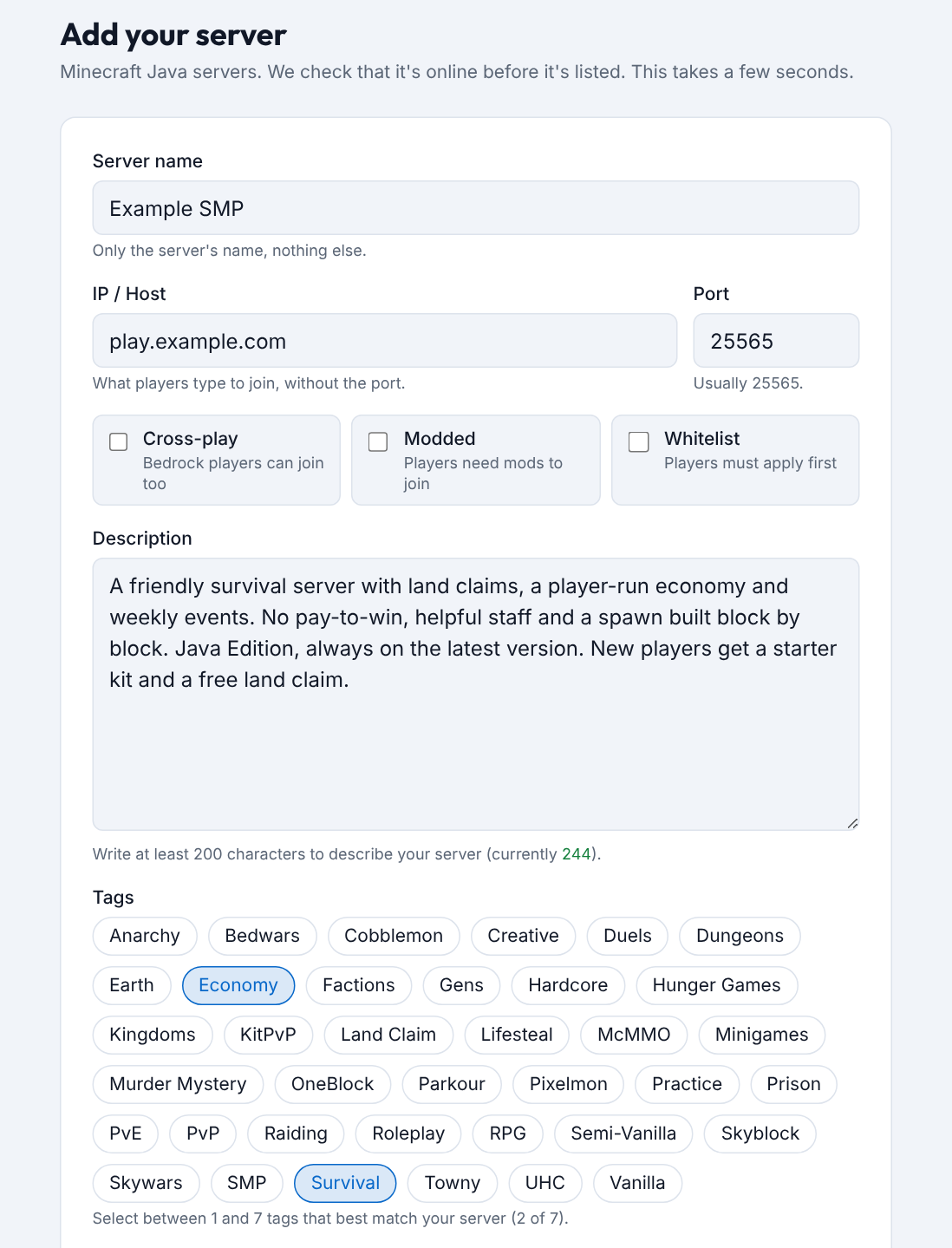
- Type the Server name, the IP / Host players type to join, and the Port if it isn't the usual 25565.
- Write a Description of at least 200 characters: what makes your server worth joining.
- Pick 1 to 7 Tags. They are the gamemodes players will find you under.
- Optional: tick Cross-play, Modded or Whitelist if they apply, and add your country, website, Discord invite and a YouTube video. A modded server can also add a Modpack link (CurseForge or Modrinth).
- Press Add server. If we can't reach your server, the form tells you why.
Your server is on the list straight away. Its version, player count, message (MOTD) and icon come from the server itself, so you don't type them.
Step 3: Set up vote rewards
OptionalWith vote rewards, a player gets a reward in the game when they vote for your server. You can also do this later, on your server's page.
- Install the NuVotifier plugin on your server (on BungeeCord / Velocity: on the proxy) and a plugin that gives rewards for votes. Restart the server.
- Open NuVotifier's port at your host or in your firewall. The default is 8192. It is a different port from the one players join on.
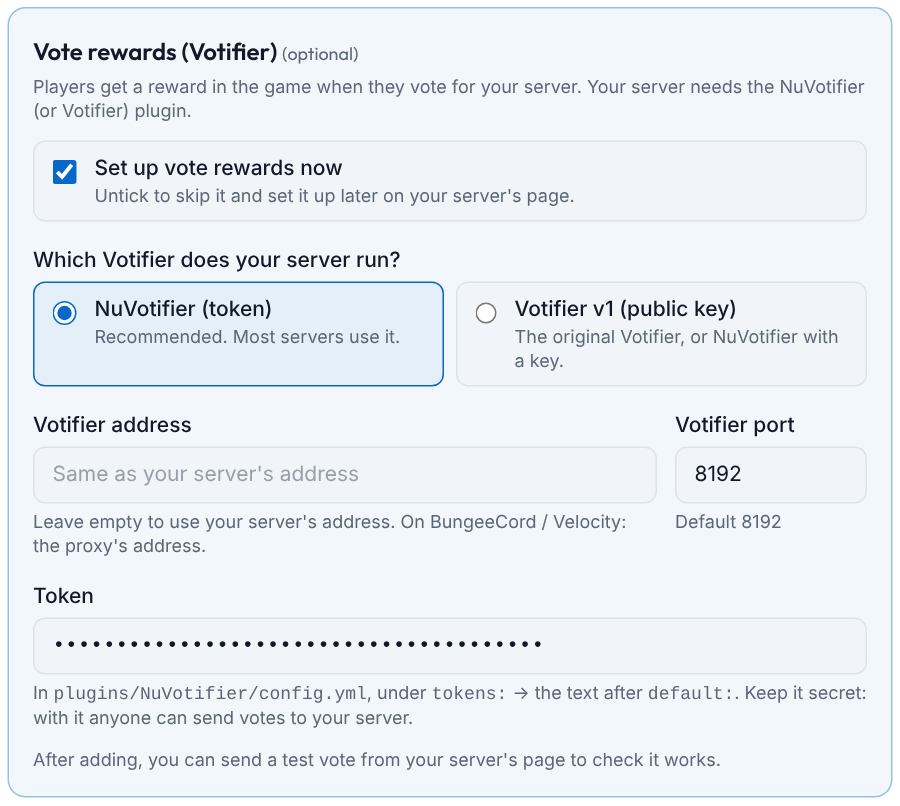
- On the Add server form, tick Set up vote rewards now and choose NuVotifier (token). Already listed? Open My servers, then your server, and find the card Votifier: vote rewards.
- Type the Votifier port and paste the Token. You find it in plugins/NuVotifier/config.yml, on the “default” line under “tokens”.
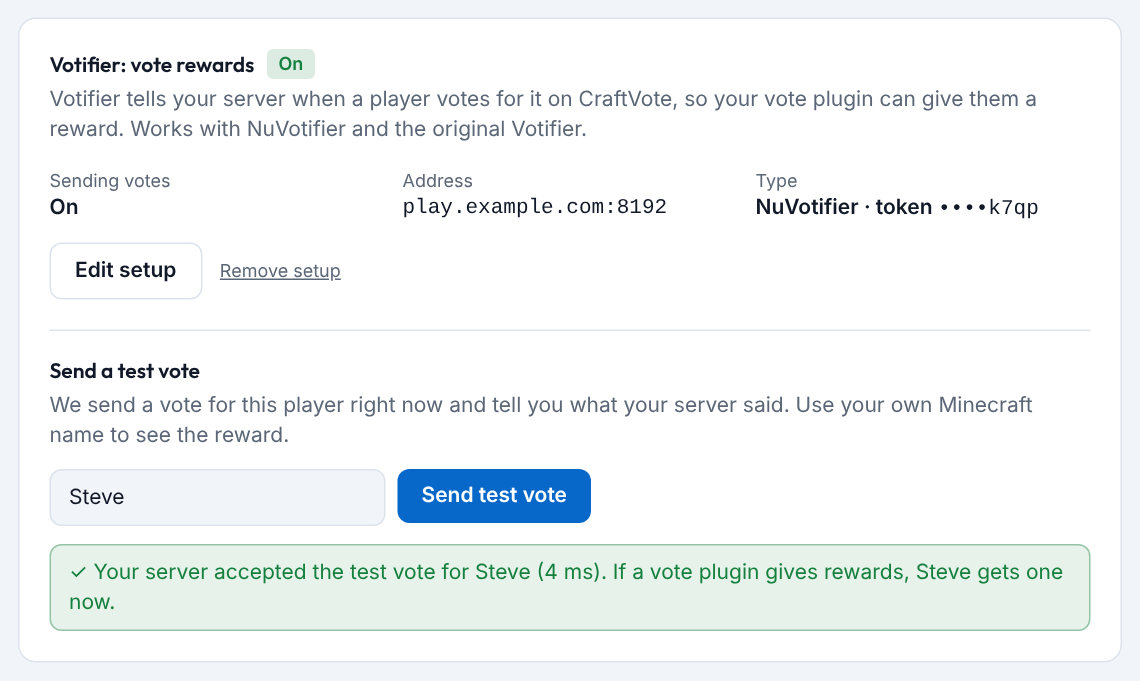
- After adding, type your own Minecraft name on your server's page and press Send test vote. The card tells you what your server answered, and you should get the reward in the game.
Never share your token. We keep it secret and only show its last 4 characters. If the test vote fails, see When the test vote fails.
Step 4: Share your vote link
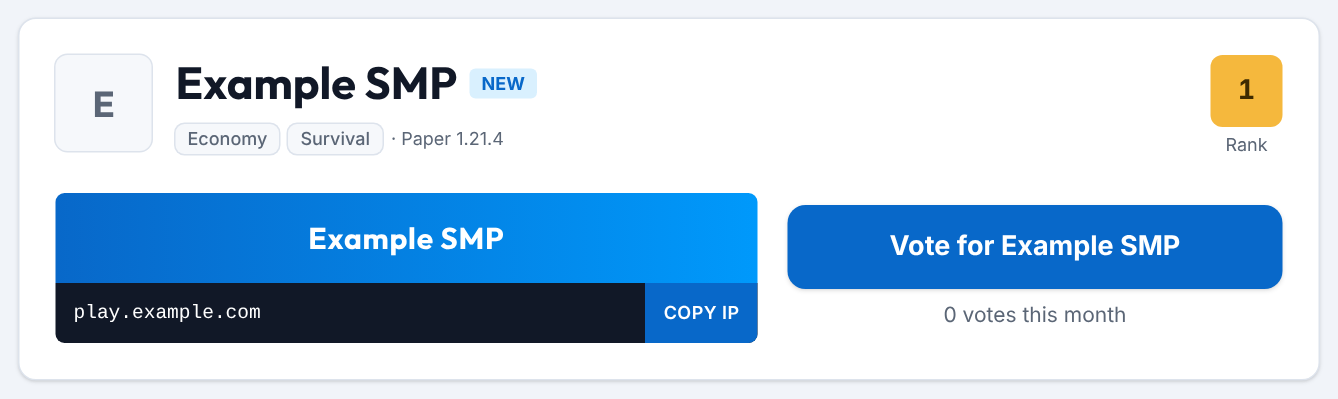
The list is ranked by votes this month. Your players' votes decide your place on it.
- Your server has its own page: craftvote.com/server/your-server-name. The address is made from your server's name.
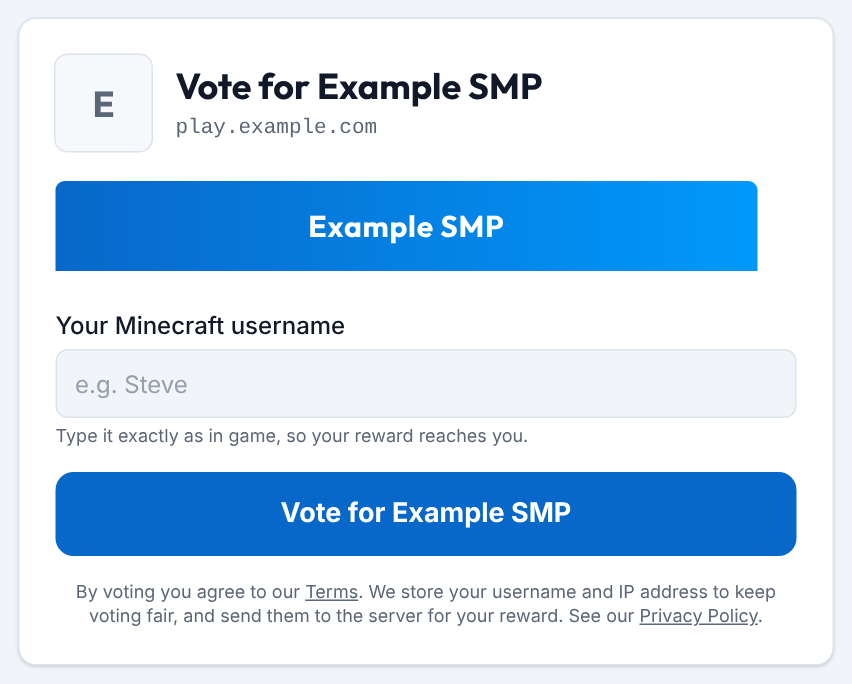
- The big Vote for … button on that page opens your vote page. Your vote link is the same address with /vote at the end.
- Give the link to your players: on your website, in your Discord, and in your vote plugin's list of vote sites.
- Each player can vote for your server once a day. No account is needed: they type their Minecraft username, pass the “I'm not a robot” check and send.
- On the 1st of each month every server starts again at 0, so a new server starts level with everyone else.
Good to know
- Live status. We check your server about every minute: online or offline, players and version. Shown as offline although players can join? See My server is shown as offline or hidden.
- Banner. Optional: 468×60 pixels, PNG, GIF or JPEG, at most 1 MB. You add it on your server's page.
- Verified badge. Prove the server is yours with a short code in its MOTD. See Get the Verified badge.
- How the ranking works. Ties, the monthly reset and fair votes: see How the ranking works.
- Stuck? Write to us through Contact.
Ready when your server is online
Java Edition servers only for now.