
Guide · Java
Java server with Votifier
Four short steps, from a new account to your first votes. Listing is free.
What you need
- A Minecraft Java server that is online.
- For vote rewards: the NuVotifier plugin and a plugin that gives rewards (for example VotingPlugin).
Step 1: Create your account
It's free. You manage your servers from it.
- Open Sign up. Pick a Username, type your Email and a Password of at least 12 characters.
- Press Create account, then click the link we email you (it works for 24 hours).
Step 2: Add your server
Keep your server online while you do this.
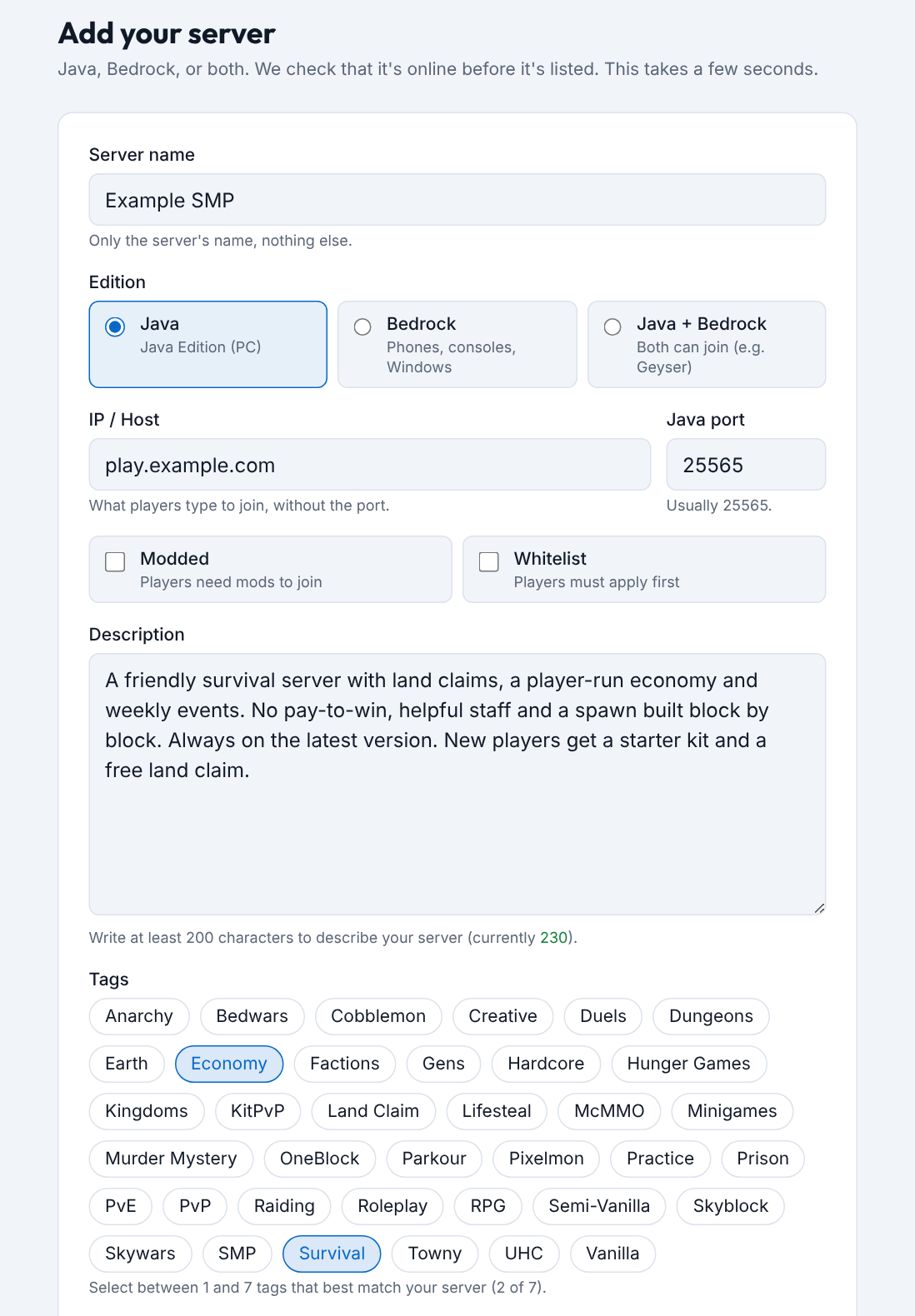
- Open Add server in the menu at the top.
- Under Edition, pick Java.
- Type the Server name, the IP / Host players use, and the Java port (usually 25565).
- Write a Description of at least 200 characters and pick 1 to 7 Tags.
- Press Add server. We check that your server is online, then it's on the list.
Step 3: Set up vote rewards
OptionalA player votes, and your server gives them a reward in the game.
- Install NuVotifier and your reward plugin. Restart the server.
- Open NuVotifier's port at your host or firewall (default 8192).
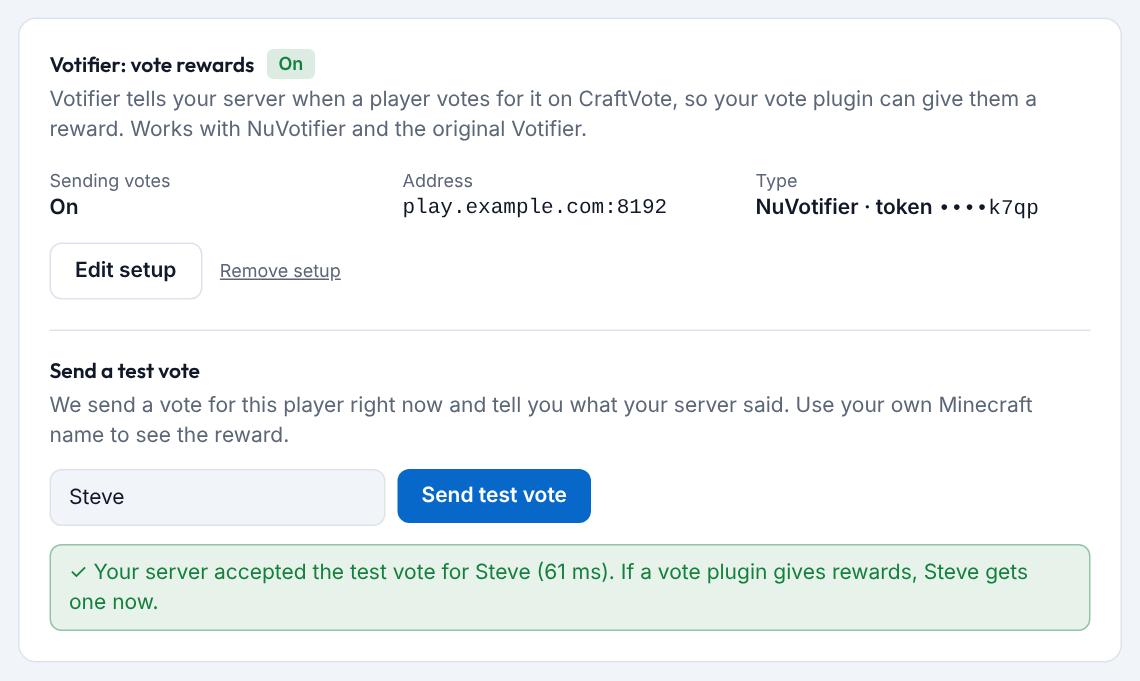
- On your server's page, find Votifier: vote rewards and pick NuVotifier (token).
- Type the Votifier port and paste the Token from plugins/NuVotifier/config.yml (the line after “default”).
- Type your own name and press Send test vote. You should get the reward in the game.
Tip: you can also do this while adding: tick Set up vote rewards now. Test fails? See When the test vote fails.
Step 4: Share your vote link
The list is ranked by votes this month.
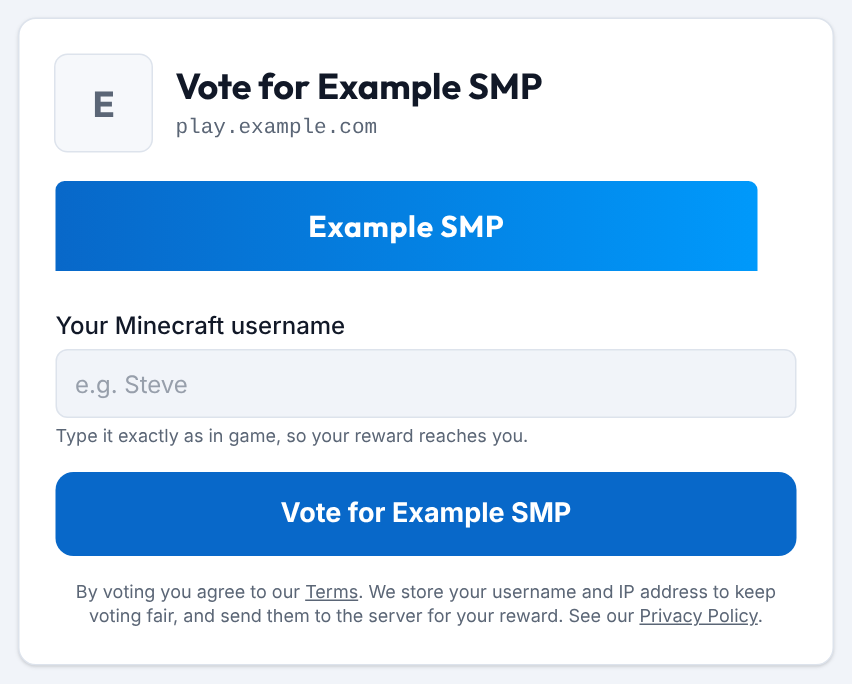
- Your vote link is craftvote.com/server/your-server-name/vote. The Vote for … button on your server's page opens it.
- Put it on your website, in your Discord and in your vote plugin.
- Players vote once a day with their Minecraft username. No account needed.
Good to know
- Live status. We check your server about every 3 minutes. Shown as offline? See My server is shown as offline or hidden.
- Banner. Optional, 468×60 pixels, PNG, GIF or JPEG, at most 1 MB. Add it on your server's page.
- Stuck? Write to us through Contact.
Ready when your server is online
Another kind of server? See all guides.