Trailer: watch MineKai on YouTube
Most Minecraft survival servers start the same way: chop wood, craft tools, forget about the night and find out a creeper has strong opinions about your front door. The real question is what comes after the first house.
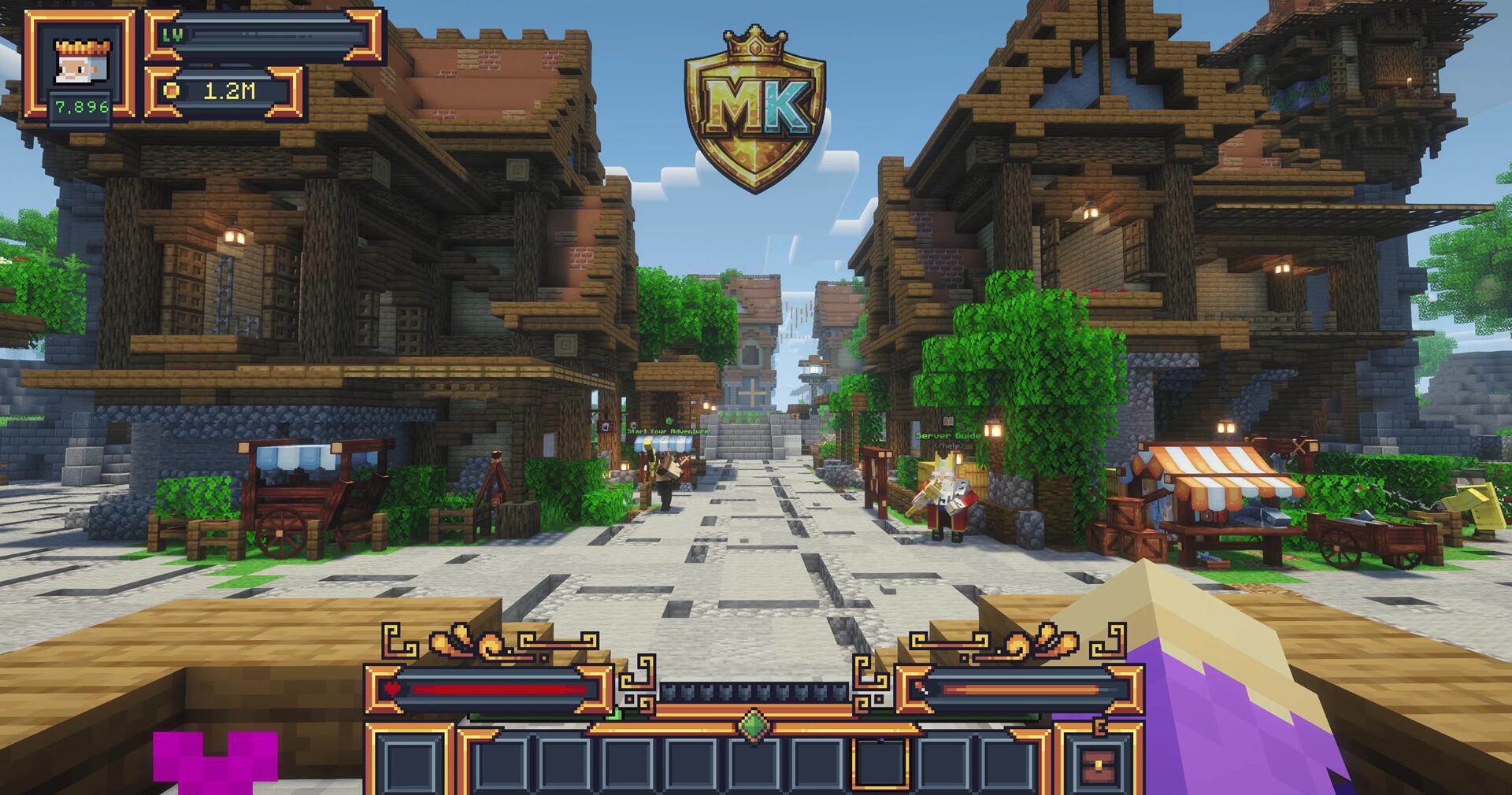
On MineKai, that house can be the start of a town, and later a nation. It's a Minecraft Java server with Towny, nations, a player-run economy, RPG skills and boss fights, all on a huge map shaped like the real Earth. You can play as a builder, a trader, an explorer, a fighter, or the friend everyone calls when the town bank suddenly looks a bit too empty.
Here is what your first days on the server can look like.
Pick your spot on Earth
The main world is 40,000 × 20,000 blocks and follows real Earth geography: the continents and regions you know from a world map. So choosing a home feels more like planning a trip than walking in a random direction.
- A coast is good for trade.
- A mountain valley is easy to defend.
- A quiet island keeps your neighbours from asking for help with one more road.
The land looks like Earth, but towns and borders are made by players, not copied from real countries.
Before you settle, open the MineKai live map. You can look around the whole world from your browser, instead of walking across a continent to find out you liked the other coast better.
Turn your base into a town
MineKai runs Towny. Players claim land, split it into plots, invite residents and protect what they build. A town can start with a few houses and grow into streets, farms, shops and public buildings.
You don't have to be a mayor on day one. Joining a town that already exists is the easy way to learn how it all works, meet people and help with bigger builds. If you'd rather lead, you can found your own town later and join other towns to form a nation.
This is what makes Towny different from normal survival. A bridge links two neighbourhoods, a market becomes a landmark, and an empty hill starts a week-long debate about who gets to build on it.
Earn money, then save up for something
Towns need materials, land and upkeep, so people have a reason to work together. On MineKai, normal game money comes from playing. It isn't sold for real cash.
Ways to earn:
- Jobs and quests pay you while you play.
- Trade directly with other players.
- Sell items on the Auction House.
- Run a ChestShop on a Towny plot where shops are allowed.
A miner can supply builders, an explorer can sell rare finds, and a well-stocked shop can get very busy on payday. Nobody gets rich in the first afternoon, but even a small sale feels good when it pays for the next build.
There is also a separate Coins system, used only for cosmetics. It's not the same as your survival money.
Level up your skills
Not every evening has to be about taxes and town budgets. MineKai has 11 RPG skills that grow while you play survival as normal. Each skill has its own levels, separate from Minecraft's XP bar.
Type `/skills` to see what you're improving and which stats or abilities unlock next. Fighting, mining and gathering all count, so you build up your character without giving up the survival gameplay you came for.
There's always a reason for one more trip, even when your storage room holds enough cobblestone to rebuild a small mountain.
Leave town: bosses, a new Nether and the End
If you'd rather put on armour than sit through another town meeting, MineKai has custom fights and worlds.
- Tower Skeleton: a multiplayer boss with several phases, strong attacks and rewards to compete for. PvP is on in its arena, so watch the other players as closely as the boss.
- A custom Nether: 8,000 × 8,000 blocks, inspired by the Greek Underworld, with strange landscapes and glowing plants.
- A custom End: a dragon arena that opens during special events, so a dragon fight becomes a night worth planning for.
- A mining world: a separate world just for gathering. Your town keeps its view, without a 30-block hole next to the town hall.
When talks fail: SiegeWar
Towny politics aren't always friendly. MineKai uses SiegeWar for organised wars between towns and nations. Rival groups can fight for political control and defend their land, which gives alliances a purpose beyond matching banners.
The focus is on sieges and their results, not on wrecking other people's builds. That leaves room for rivalries, deals, and the brave diplomat who tries to calm things down before everyone shows up in enchanted armour.
War is only one path. You can build a library, run a shop or explore a far-off coast and still be part of the story.
No modpack needed
MineKai has custom terrain, menus, 3D animated cosmetics, furniture and pets, but you don't need Forge, Fabric or any modpack. You join with the normal Minecraft Java Edition client.
That means less time fixing the wrong mod version on a friend's PC, and more time choosing where to build.
How to join MineKai
- Open Minecraft Java Edition and click Multiplayer.
- Click Add Server.
- Enter the address `mc.minekai.com` and click Done.
- Join, open the map, and find a town or start your own.
For the latest supported version and more server info, see MineKai's Towny page.
You might log in to build one small house. If you log out as a mayor, the owner of three shops or the person writing a peace treaty between nations, at least you'll have a good story to tell.
More servers like MineKai
- Towny servers: towns, nations and land claims.
- Earth servers: maps of the real world.
- RPG servers: skills, quests and bosses.
- Economy servers: jobs, shops and trading.
Run a server too? List it on CraftVote.
Your server, on the list
Listing your server on CraftVote is free too.